TransStock updates: more insight. Better decisions.

Here you will discover how TransStock continues to innovate with powerful selection tools, visual support and well-thought-out studies.
Your edge in the market starts here.
TopPicks in TransStock – track stocks and ETFs with one click

Top picks

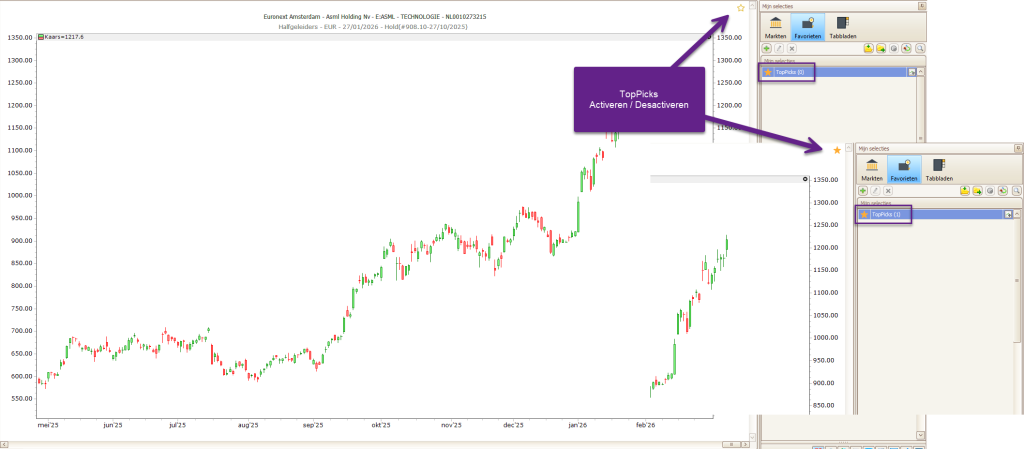
TopPicks – One click to your most important stocks What is TopPicks? Every investor works with lists: stocks to follow, portfolio positions, and securities that have been sold. With TopPicks, TransStock introduces a smart and lightning-fast way to temporarily mark interesting stocks and ETFs and monitor them daily — without extra folders or settings. TopPicks is…
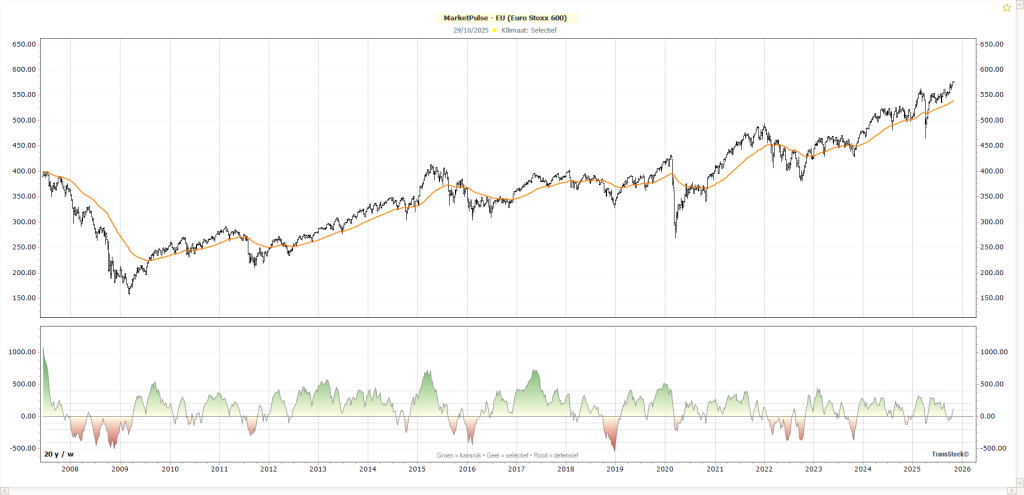
MarketPulse EU chart showing market momentum and investment climate in Europe

MarketPulse – The right climate for investors

MarketPulse shows the market momentum of the S&P 500 and Stoxx 600 at a glance, helping investors identify the right investment climate. This way, you know exactly when the market is defensive, selective, or an opportunity to invest.
TransStock Base100 & Peers – discover the leaders

Base100 & Peers – Discover the leaders

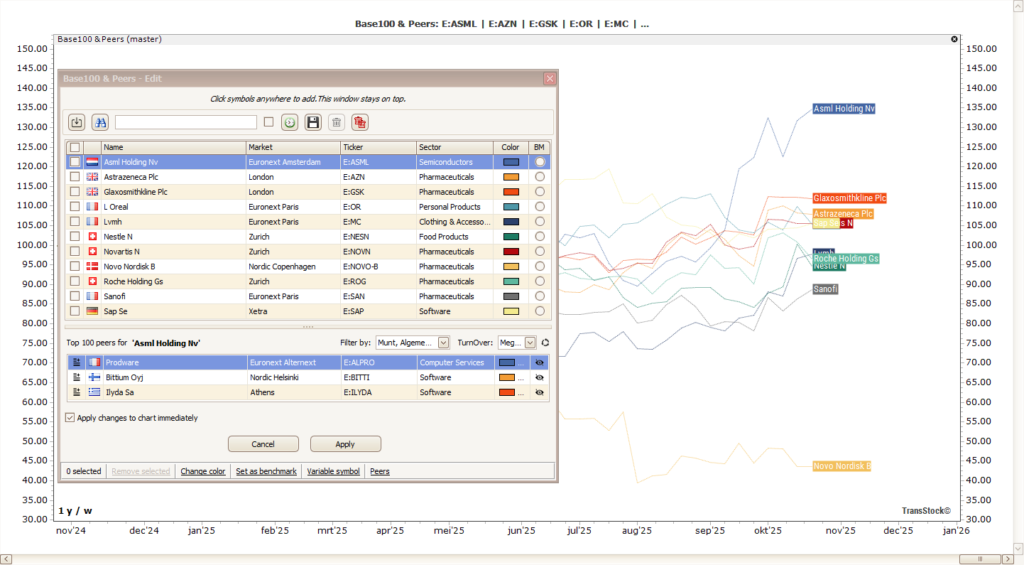
Base100&Peers automatically shows the three strongest stocks within the same market/industry/sector, allowing you to quickly discover and analyze the leaders.
base100 transstock - compare stocks

Base100 TransStock – clear comparison

Base100 lets you compare the performance of stocks, ETFs, and indices fairly: each line starts at 100. You add symbols via click or import, choose a benchmark, and save sets.
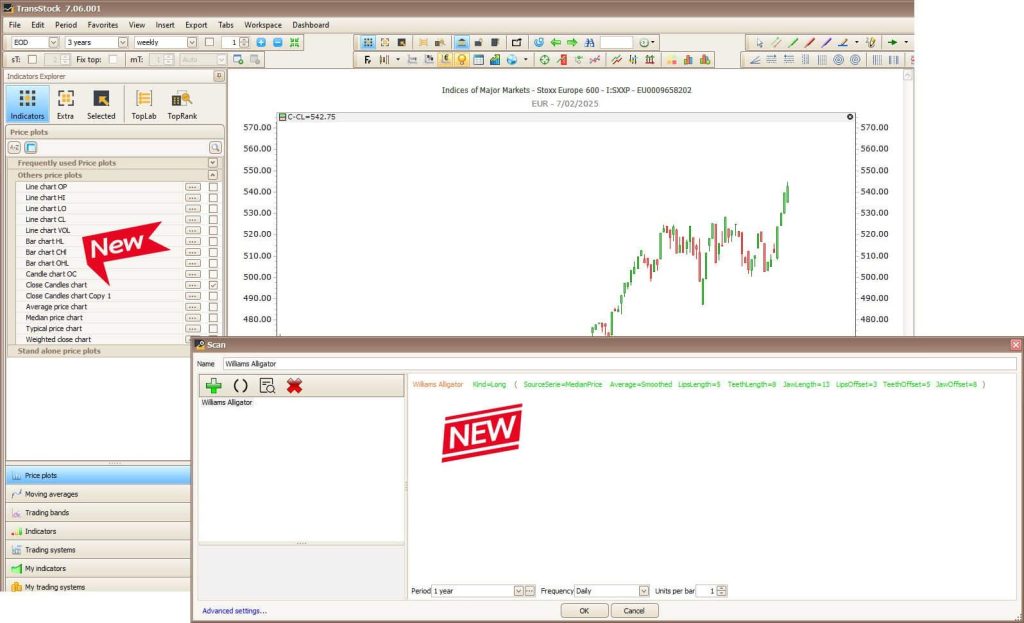
TransStock screenshot showing the Close Candle Chart and Williams Alligator filter in action.

Clear price analysis with Close Candle & Williams Alligator in TransStock

Make your charts clearer with the Close Candlestick chart and filter trends with Williams Alligator in TransStock. See pivots more clearly and scan quickly with 8 Alligator conditions in TransTrader.
Recent improvements in TransStock.

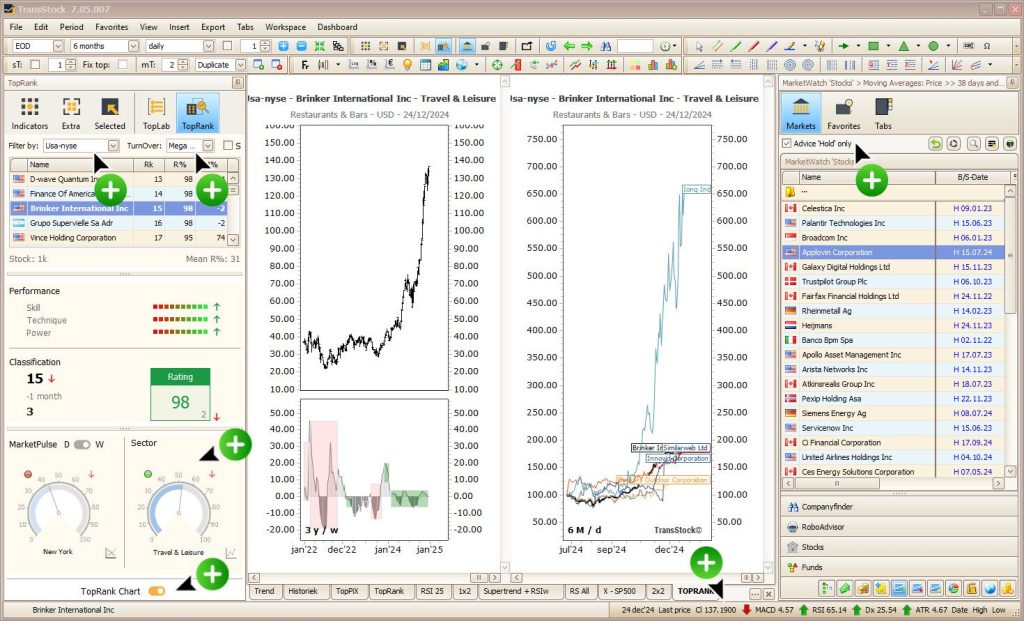
TransStock v7.05.007: Faster selection in TopRank, sharper filtering in MarketWatch, more flexible status bar

Discover what's new in TransStock v7.05.007: convenient dropdowns and 0-rating exclusion in TopRank/TopLab, a 'Hold' filter in MarketWatch, and adjustable decimal places for the status bar. Analyze faster and work more clearly.
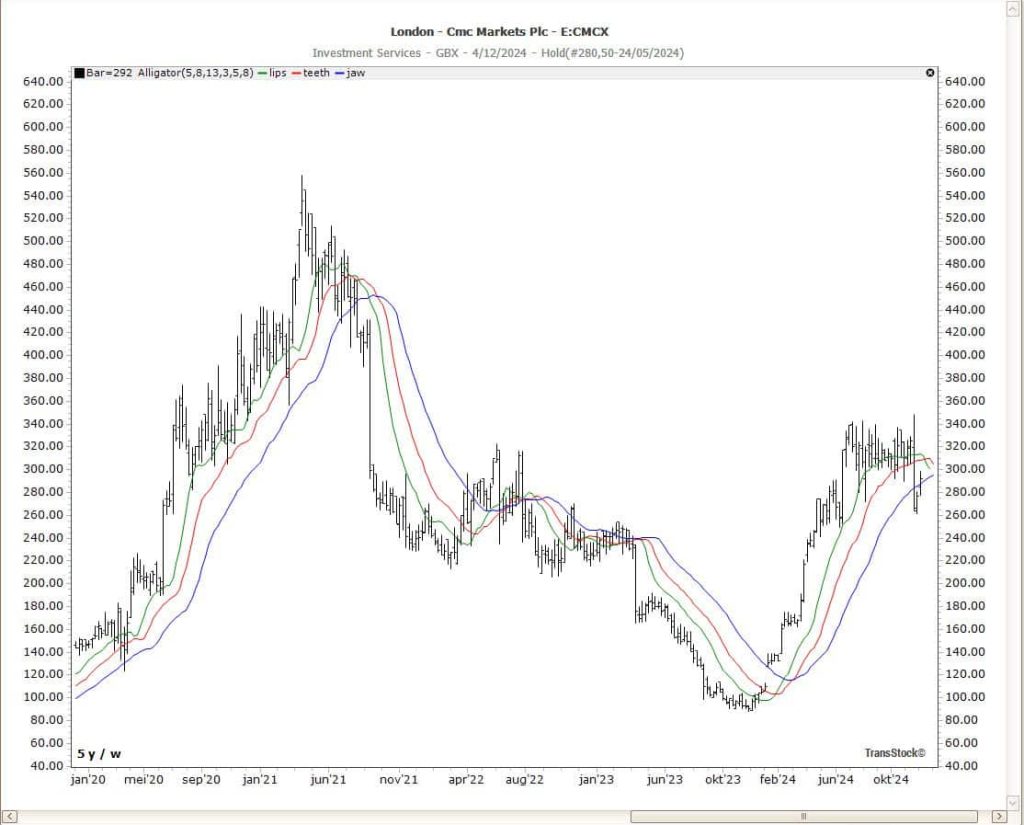
CMC Markets chart showing the Williams Alligator Indicator with Lips, Teeth, and Jaw lines for identifying trends and market signals.

Williams Alligator in TransStock: a clear trend picture with Lips, Teeth & Jaw

Activate and customize the Williams Alligator in TransStock. Understand Fibonacci (5-8-13) settings and offsets, and read trends more clearly without noise.
Screenshot of the Performance Chart in TransStock showing price movements in percentage values ​​with green and red shading.

New: Price Plot selection in TransStock – switch between chart types faster

The new Price Plot icon lets you switch between Baseline, Mountain, Performance, and Vertex Line with a single click. More intuitive analysis, clearer trends.
DocuSign chart in TransStock using a 55-period Smoothed Moving Average with color-coded trends and automated horizontal support and resistance zones.

Smoothed Moving Average in TransStock: less noise, clearer trends

The new color-coded Smoothed MA with automatic horizontal support/resistance helps you spot trend changes faster and time levels better.
TransStock updates – new features and improvements

TransStock updates – Short FAQ

Short summaries per version, with what's new and where to find it in the software.

When improvements are ready, new items will appear here and in the newsletter.

Yes, each update lists the version + date and the most important changes.

TransStock is designed as an analytical tool and does not constitute a recommendation to buy or sell financial instruments.
Use our software to support your own investment decisions.

Get better every month with our tools