
Investment software product updates
Discover the latest developments in our tools.
In this section, we bring together innovations in investment software: from new features to quality improvements that help you work more efficiently and invest more effectively.
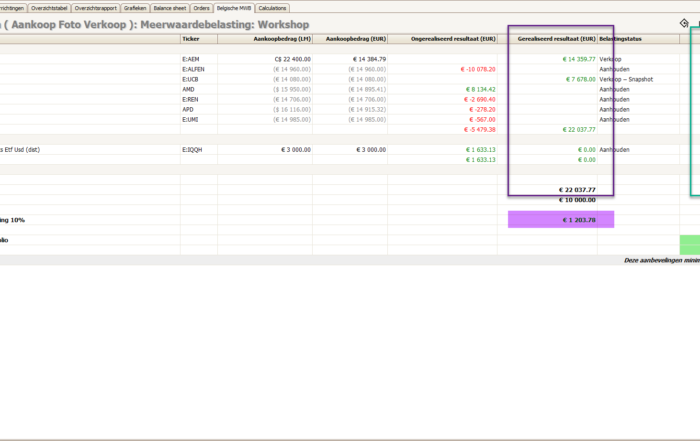
Reduce capital gains tax with smart portfolio recommendations
TransFolio introduces a new tab that helps you understand your tax burden and reduce capital gains tax through targeted portfolio recommendations.
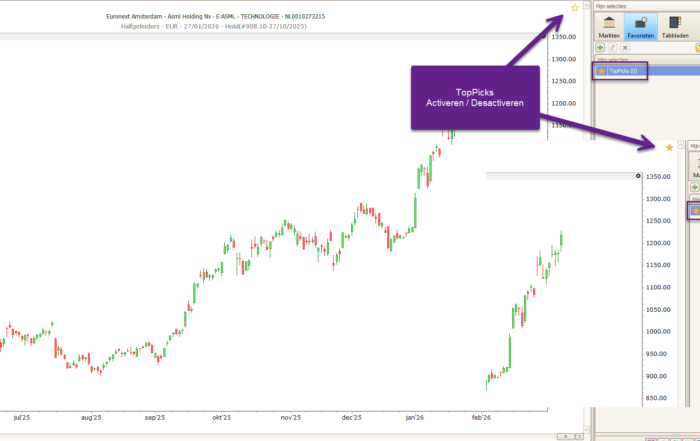
TopPicks – One click to your most important stocks
TopPicks is TransStock's quick favorites list, allowing you to track stocks and ETFs with a single click. Clear, efficient, and flexible investing.
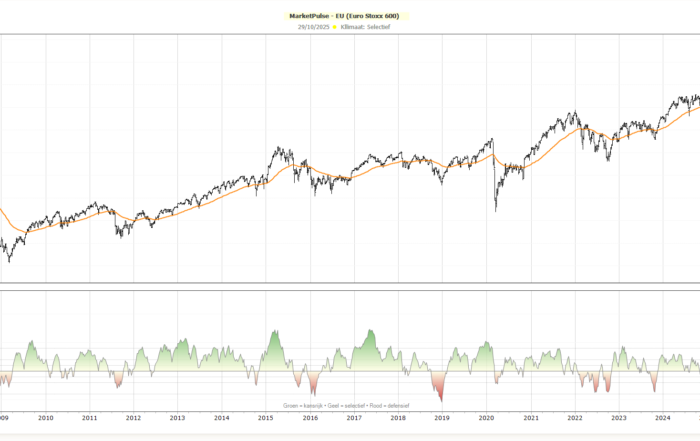
MarketPulse – The right climate for investors
MarketPulse shows the market momentum of the S&P 500 and Stoxx 600 at a glance, helping investors identify the right investment climate. This way, you know exactly when the market is defensive, selective, or an opportunity to invest.
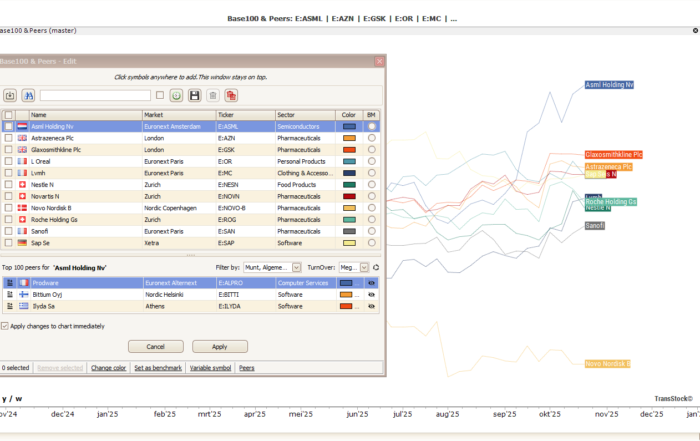
Base100 & Peers – Discover the leaders
Base100&Peers automatically shows the three strongest stocks within the same market/industry/sector, allowing you to quickly discover and analyze the leaders.

Base100 TransStock – clear comparison
Base100 lets you compare the performance of stocks, ETFs, and indices fairly: each line starts at 100. You add symbols via click or import, choose a benchmark, and save sets.

Clear price analysis with Close Candle & Williams Alligator in TransStock
Make your charts clearer with the Close Candlestick chart and filter trends with Williams Alligator in TransStock. See pivots more clearly and scan quickly with 8 Alligator conditions in TransTrader.

TransStock v7.05.007: Faster selection in TopRank, sharper filtering in MarketWatch, more flexible status bar
Discover what's new in TransStock v7.05.007: convenient dropdowns and 0-rating exclusion in TopRank/TopLab, a 'Hold' filter in MarketWatch, and adjustable decimal places for the status bar. Analyze faster and work more clearly.

Williams Alligator in TransStock: a clear trend picture with Lips, Teeth & Jaw
Activate and customize the Williams Alligator in TransStock. Understand Fibonacci (5-8-13) settings and offsets, and read trends more clearly without noise.

New: Price Plot selection in TransStock – switch between chart types faster
The new Price Plot icon lets you switch between Baseline, Mountain, Performance, and Vertex Line with a single click. More intuitive analysis, clearer trends.

Investment Software Product Updates - Short FAQ
Where can I find all product updates for investment software for TransStock, TransFolio, and Beursgrafiek?
You will find them bundled on this page, with links to the detailed articles per product.
How often do product updates appear in the investment software?
As soon as something new is live, an article will appear here and it will be included in the monthly newsletter.
How do these investment software product updates actually help me?
You work more efficiently: faster selection, clearer graphs, smoother imports and less manual work.
Does each update state the version and date?
Yes, each article lists the version number, date, and most important changes at a glance.
(I.e. Stay informed about new innovations — subscribe to our newsletter.
The information on this page is intended to keep you informed about software developments and improvements to our analysis tools. This content does not constitute personal investment advice.