

Automating Investing: Your Guide
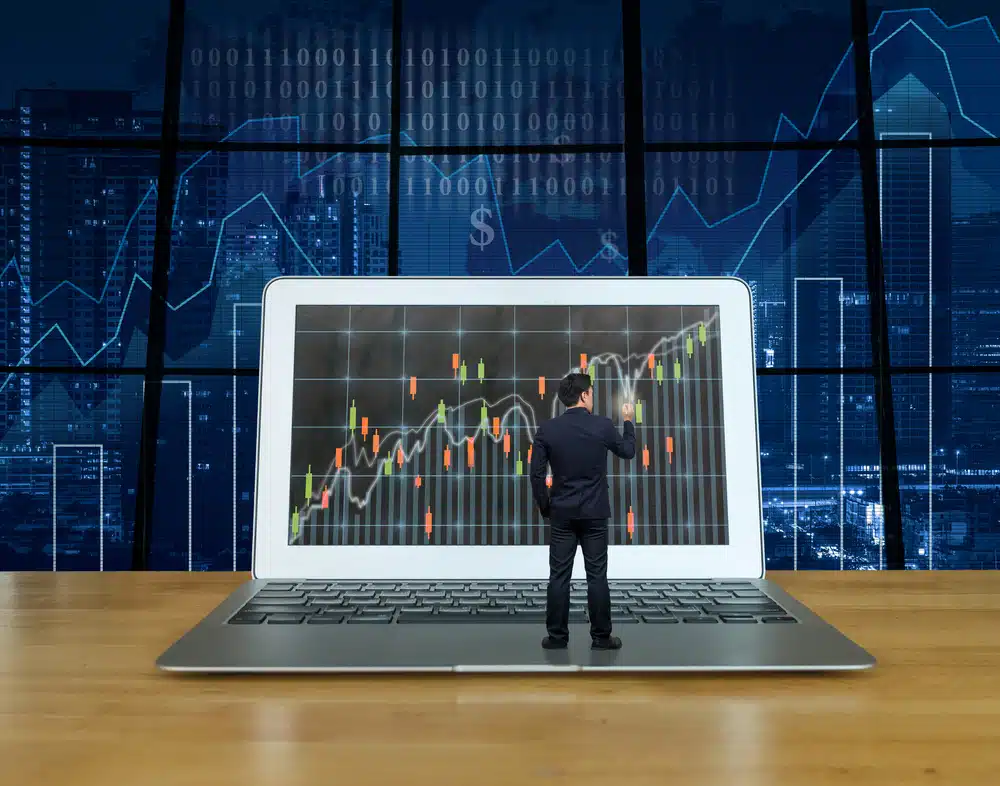
More and more investors want automate investingNot to blindly entrust their entire portfolio to a robot, but to work smarter, more consistently, and more professionally.
In this case, automation means outsourcing repetitive tasks to software, so you have more time and peace of mind for what really matters: your choices, your analysis, and your strategy.
In this guide you will discover step by step:
- what investing automate exactly what it entails (and what it doesn't),
- the difference between online tools/apps and professional desktop software,
- why multiple screens and a quiet work environment make such a difference,
- how to set up an investment workflow that delivers the same, reliable work every day,
- how solutions like TransStock, TopRank en MarketWatch can serve as an example.
This guide is primarily written for investors who have already taken some initial steps, but now feel it is time to professionalize their approach.
1. What does automating investing mean (and what doesn't it mean)?
When you search the internet for automation in investing, you often encounter two extremes:
- Robo-advisors and fully automated portfolios where you hardly make any decisions.
- Trading apps where you do everything yourself on a small smartphone screen.
The reality for most serious retail investors lies somewhere in between: you want to analysis process automate, but the decisions and the control keep to yourself.
In this guide we mean automate investing among other things:
- automatically update price data instead of downloading it yourself,
- have your settings and watchlists backed up automatically,
- run screenings and reports according to fixed rules,
- automatically place shares in lists (e.g. buy / hold / sell),
- generate signals when a stock meets your conditions.
You remain the captain, but you outsource the repetitive work to software. That's professional work.
2. Why Automation Is So Powerful for Investors
2.1 Less emotion, more regularity
Investing based on gut feeling is exhausting. One bad day in the market, an emotional reaction to news, or a comment on social media… and your plan is abandoned.
Automation helps you to:
- to consistently apply the same rules,
- not to impulsively check prices on the phone every hour,
- to be less influenced by comments, forums or “tips”.
You build up a routine: your software does the same thing every day, your reports are ready on time, and you can make decisions calmly at fixed times.
2.2 Fewer errors, more overview
Manual work increases the risk of errors: wrong list, forgotten price update, outdated data, a report not run, a missing backup…
An automated workflow prevents your analysis from resting on a faulty foundation.
2.3 More time for the essentials
If your software automatically updates quotes, creates backups and runs screenings, you'll have more time to:
- studying graphs and trends,
- refining your strategy,
- evaluating your results,
- following a investment course or workshop.
Automation is therefore not a luxury, but a lever: you use your time where it is most valuable.
3. Online tools and apps versus professional desktop software
Nowadays you can invest everywhere: through broker apps, websites, news portals and simple charting tools.
That's fine for a first introduction. But once you want to work more seriously, you'll quickly notice its limitations.
3.1 The benefits of online tools and apps
Online platforms and mobile apps certainly offer advantages:
- they are quickly accessible,
- you can check prices on the go,
- you can easily buy and sell,
- You often have basic charts and news available.
For those who simply want to “know how the market is doing” or who place an order occasionally, this is sufficient.
3.2 The limitations for those who want to work more professionally
But for those who really wants to work professionally with technical analysis and a well thought-out strategy, there are clear drawbacks:
- A small screenOn a smartphone, you only see a fraction of the information. You're constantly switching between screens and missing the bigger picture.
- DistractionNotifications, messages, social media… everything is on the same device. This invites impulsive action.
- Limited automation: Some apps have alerts, but no advanced screenings, permanent task scheduling, or structured reports.
- No control over data files: You often cannot use custom selections, custom databases, or in-depth filters.
3.3 Why desktop software is another level
desktop software as TransStock works differently.
You install the software on your PC, often with one or more additional screens. This creates a real workspace, separate from the hustle and bustle of your smartphone.
The advantages:
- you can see graphs, lists, sector overviews and indices at a glance,
- you can place multiple windows side by side (e.g. daily, weekly and monthly charts),
- you get access to advanced screenings, filters and reports,
- you can build workflows, for example via an automatic task planner,
- You work with data that has been specifically compiled for your method.
Professional investors – and many serious private investors – therefore work with a fixed setup: a powerful desktop or laptop, one or more screens, and specialized investment software.
3.4 How do online tools compare to professional software?
Many investors start with popular online tools such as TradingView, Yahoo Finance, MarketScreener, Bux or broker apps such as DeGiro or Trading212.
These platforms are useful for quick charts or placing an order, but have limitations when you're looking for automation and depth:
- no automatic reports or screenings based on your own rules,
- limited trend analysis or sector analysis,
- no task planner that prepares courses, backups and workflows for you,
- a small screen which means you never see the full picture,
- diversion through other apps and notifications on the smartphone.
A professional desktop solution like TransStock does offer the possibility to structure and automate your entire analysis process, thus building a smooth, efficient workflow.
4. The building blocks of an automated investment workflow
How do you actually set up a workflow? to automate investing without losing control?
We can divide this into four building blocks:
4.1 Data: rates and basic information
Everything starts with reliable and timely updated price data. Without accurate data, no indicator, chart, or screening is useful.
- Prices are updated automatically daily (or at intervals).
- Historical data is complete and correct, so your graphs are accurate.
- Adjustments such as splits, mergers or acquisitions are processed.
Ideally, this part of the automation happens in the background, without you having to think about it every day.
4.2 Rules: Parameterizing your method
Automation only truly succeeds when your method is clearly formulated. For example:
- “I look for stocks with sufficient volume, a rising trend and an RSI above 60.”
- “I want stocks in an uptrend that are just breaking out of a sideways zone.”
- “I want to know which stocks within a sector are performing the best.”
You translate these rules into filters, screenings, and reports, which can then be run automatically in your software.
4.3 Routines: fixed times and steps
An automated workflow works with fixed routines, for example:
- At night or early in the morning: update price data and run reports.
- Before the market opens: you look at the “buy/hold/sell” lists.
- On fixed days: a broader market scan or sector screening.
The software does the prep work; you join when everything is ready.
4.4 Evaluation: looking back and adjusting
Automation doesn't mean you never have to think again. On the contrary: by organizing your daily work, you create space for regular evaluation:
- Does my method still work in the current market?
- Should I tighten or relax filters?
- Which reports are really useful, which can be deleted?
5. Concretely: how can you automate as a private investor?
Step 1: Determine your strategy and time horizon
Automation only makes sense if you know what You want to automate. Some questions to ask yourself:
- Am I primarily a trend follower, or do I rather look for turning points (countertrend)?
- Do I want to go to the market every day, or just a few times a week?
- Do I work mainly with European stocks, or also with American and other markets?
Your answers will determine which reports, screen setups, and automations are relevant to you.
Step 2: Choose a suitable software environment
Anyone who wants to take it more seriously will soon end up with specialized investment software.
Online tools are useful, but for a truly automated workflow you need software that:
- can automatically update price data,
- can schedule backups,
- can perform advanced screenings and reports,
- possibly works with additional modules for market analysis.
TransStock is an example of such an environment, where you build a complete technical analysis workspace on your PC.
Step 3: Automate your “basic work”
The first thing you want to automate are the tasks you would otherwise have to do manually every day:
- update prices,
- check software updates,
- back up your settings and selections.
In TransStock, for example, this is done via an automatic task planner.
This will be explained in a separate blog using TransScheduler, the planner that runs these processes for you in the background.
The principle is simple: set it up correctly once, and from then on it will run automatically.
Step 4: Have screenings and selections prepared automatically
The next step in automating investing is having your selections and candidate lists prepared.
An example:
- Every week you turn a large market filter on thousands of stocks (for example the entire US),
- that filter reduces the universe to a few thousand or hundreds of interesting candidates,
- Daily reports and filters will then only run on that pre-selection.
In practice this saves a lot of calculation time and analysis time.
Software such as TransStock can be expanded here with modules such as:
- TopRank: an add-on that shares a gives a score (from zero to one hundred) based on dozens of technical and reliable parameters.
You can see at a glance how a share performs within its sector. - MarketWatch: an add-on (included with TransStock Professional) that automatically places stocks in lists such as buy, to hold en sold, based on both trend and countertrend signals.
This automatically sets your decision table every day: you get ready-made lists of the most relevant values, instead of having to search “from scratch” every time.
Step 5: Work on a professional screen, not a tiny smartphone
An important, often underestimated aspect of professional investing is the working environment.
Anyone who does everything on a small smartphone screen never sees the full picture. Professionals work with one or more large screens, on which they:
- view graphs on different time horizons simultaneously,
- can follow lists of sectors and indices side by side,
- review reports, filters and watchlists at a glance.
Desktop software like TransStock is designed for exactly that kind of use.
Your smartphone can still be handy for quickly checking something, but you make your real decisions in a calm, uncluttered environment.
6. Examples of automation with TransStock, TopRank and MarketWatch
To make investing automation more concrete, we'll briefly look at what a professional workflow can look like in practice with a desktop solution.
6.1 TransStock as central cockpit
TransStock serves as a central cockpit for your technical analysis.
From one environment you can manage:
- price data and graphs,
- selections and watchlists,
- filters and screenings,
- reports and sector overviews.
The software is designed to translate your method into practical steps so you can work consistently.
6.2 TransScheduler: automatic task scheduler
The automatic task planner within TransStock (TransScheduler) ensures, among other things, that:
- your price data is updated daily,
- backups are made at scheduled times,
- updates are being checked,
- reports are automatically run after the price update.
In a separate blog This is explained in detail, but the principle is simple: once you have set up the tasks, you hardly have to worry about them anymore.
6.3 TopRank: shares scored from 0 to 100
TopRank is an add-on that takes automating your selection process a step further.
Based on dozens of technical criteria, stocks are given a score between 0 and 100.
You can see at a glance:
- which stocks within a sector are performing strongly,
- which values are technically weakened,
- which candidates are most interesting to investigate further.
- You can automatically filter by minimum or maximum score
Instead of manually going through hundreds of charts, let the software do the hard work.
6.4 MarketWatch: Automatic “buy, hold, sell” lists
MarketWatch, included with TransStock Professional, automates your follow-up even further.
The module automatically places stocks in lists as buy, to hold en sold,
and this based on both trend following and countertrend signals.
This allows you to see at a glance:
- which positions you might be able to strengthen or maintain,
- which shares are on a sell or warning list,
- which new opportunities appear on the buy list.
You still decide for yourself, but you no longer have to scan the entire market yourself every day.
7. Automate without losing control
A common concern is, “If I automate everything, won't I just be a passive bystander?”
The answer is clear: no – at least not if you use automation in the way we describe in this guide.
Automating investing in this context means:
- de repetitive tasks leave to software,
- de rules clearly record in advance,
- de decisions and the responsibility keep to yourself.
You remain the one who:
- the method chooses,
- determines which filters apply,
- decides whether to buy, hold or sell a share,
- evaluate your results.
Software can help you, but it should never replace your common sense.
Professional investing is always a combination of tools and insight.
8. What next?
If after reading this guide you feel it's time to professionalize your approach,
there are several possible next steps:
- Learn more through the articles on the investment blog.
- Follow one of the investment courses or workshops
to strengthen your method and technical knowledge. - Find out what TransStock investment software
can mean for your workflow. - Compare the different formulas on the page
TransStock prices.
Investing becomes calmer, clearer and more efficient when you intelligently automate your processes.
You no longer have to do everything yourself — but you always remain the captain at the helm.
Automating Investing - Short FAQ
What exactly does automating investing mean?
Automating investing means having repetitive tasks – such as updating quotes, performing screenings and generating reports – performed automatically by software.
You always retain control over your decisions, but you save time and work much more consistently because your workflow is prepared in the same way every day.
Won't I lose control if I automate my investment process?
No. Automation only takes over the preparatory work, such as data updates and screenings.
You still decide for yourself which shares you buy, hold or sell.
The goal is not to delegate decisions, but to create more peace and clarity so that you can make better decisions.
Is automation also interesting for novice investors?
Yes, even novice investors often struggle with structure, regularity and discipline.
By partially automating your workflow, you get a clear daily routine and avoid skipping important steps.
Automation supports your learning process and gives you more clarity in your analysis.
What is the difference between automating with apps and with desktop software?
Mobile apps offer limited automation: usually just notifications or simple alerts.
Desktop software provides a professional environment with automatic price updates, reports, sector analyses and advanced screenings.
On larger screens you also have a better overview, less distraction and you work with better technical information.
How do I best get started automating my own investment workflow?
Start small: automate courses and backups first.
Then add screenings and reports according to your own criteria.
Once your methodology is clearly formulated, you can use modules like TopRank or MarketWatch to automatically score or list stocks.
This way, you build a professional workflow step by step that supports you every day.


Supplementary material




Not familiar with the basics yet? Discover them first
how learning to invest works.
Stay ahead of the market
Short, sharp insights and strategy updates delivered straight to your inbox.
Educational content • No financial advice
Just starting out? Start with our
guide to learning to invest for beginners.